Find your team's calendar link
Where SportsEngine, Sprocket Sports and other team apps keep a calendar link.
Most team apps can share their schedule as a calendar link. Here's where two of them keep it. Once you've copied it, add a schedule from a calendar link.
SportsEngine
Open Schedules at the bottom, and tap the calendar icon at the top.
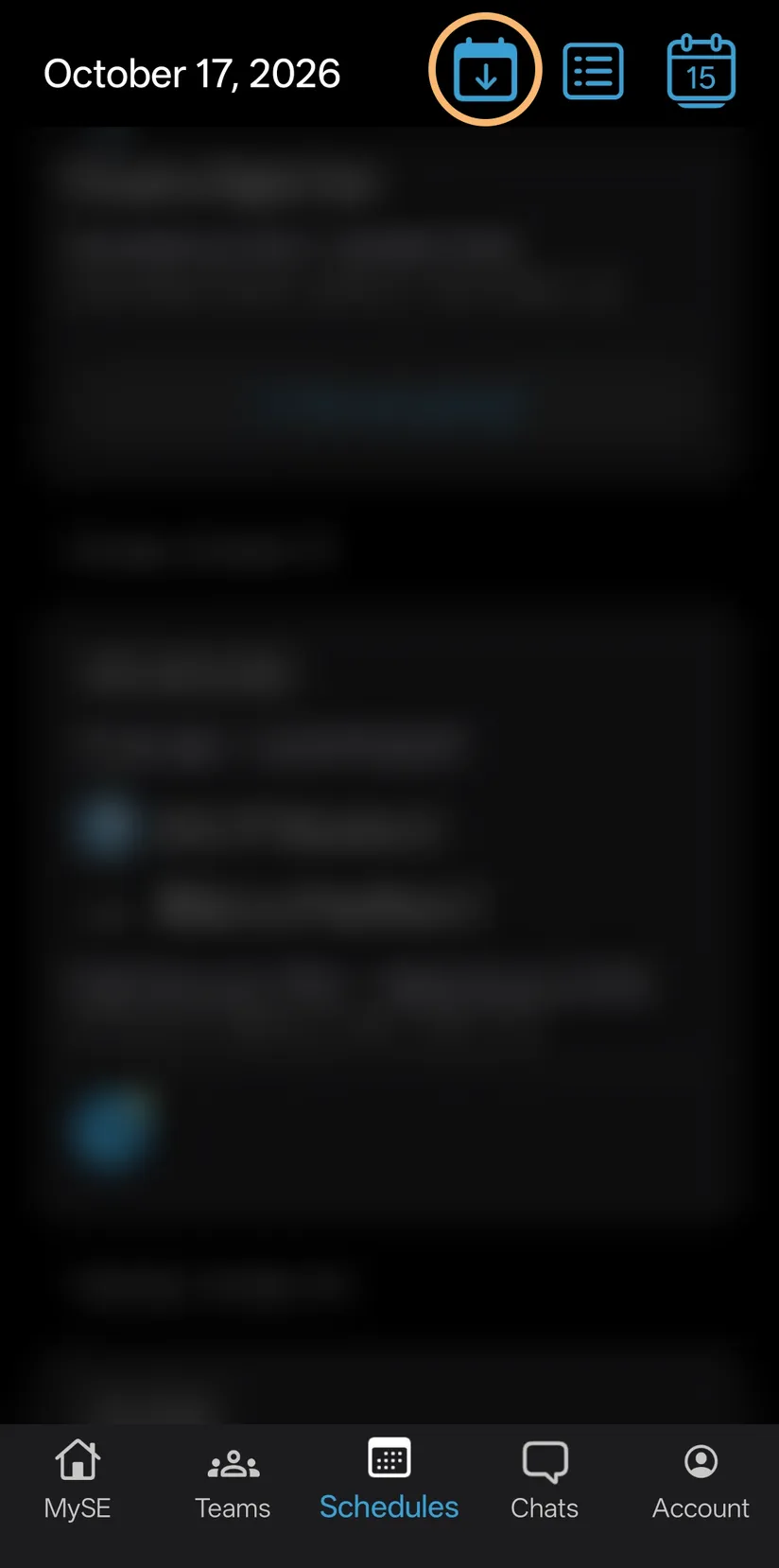
In SportsEngine, tap the calendar icon on Schedules. Tap Other Calendar. It copies the link for you.
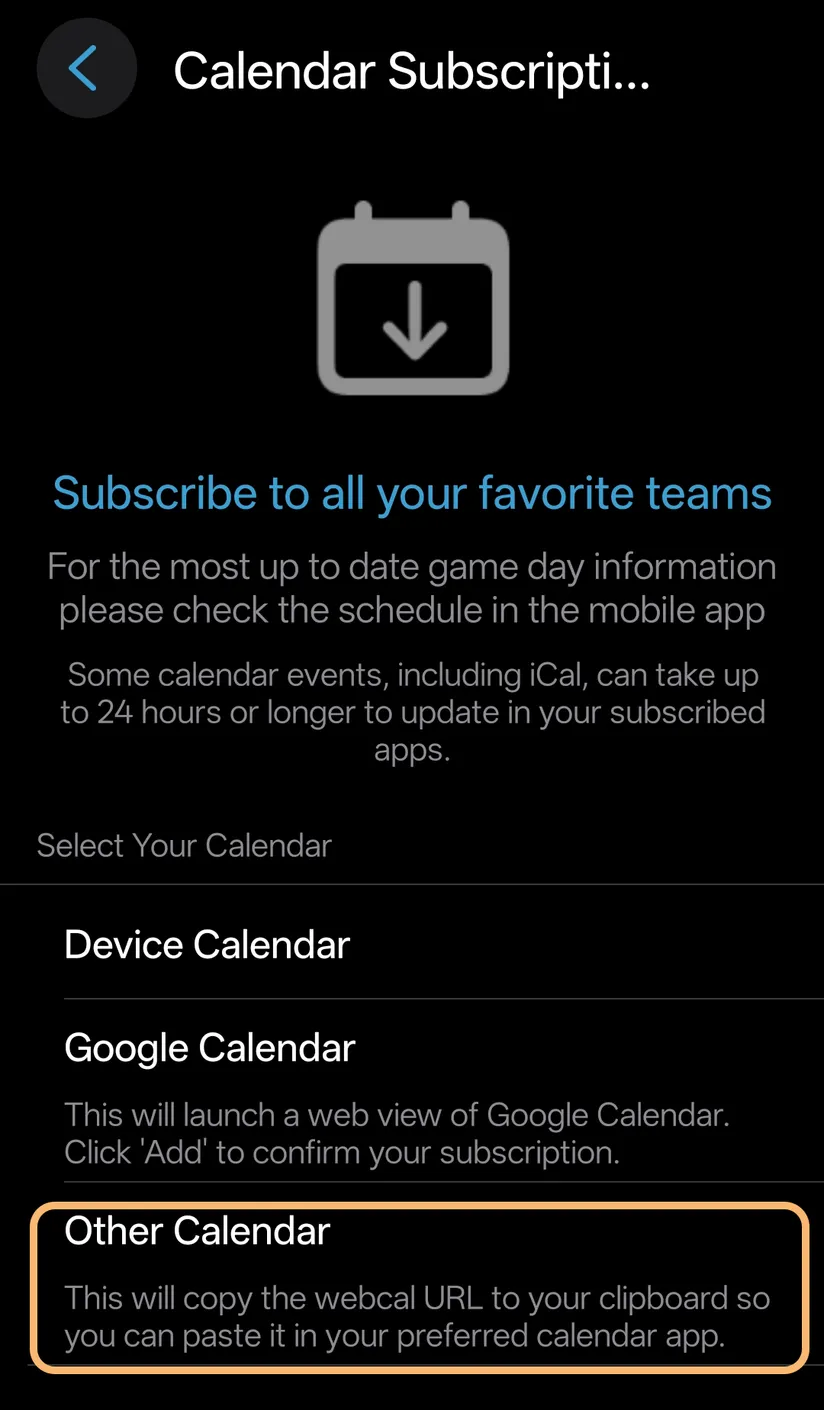
Then tap Other Calendar: it copies the link.
This link holds all the teams you follow. We'll ask which are yours, on Your teams.
Sprocket Sports
Open Calendar at the bottom, and tap Subscribe.
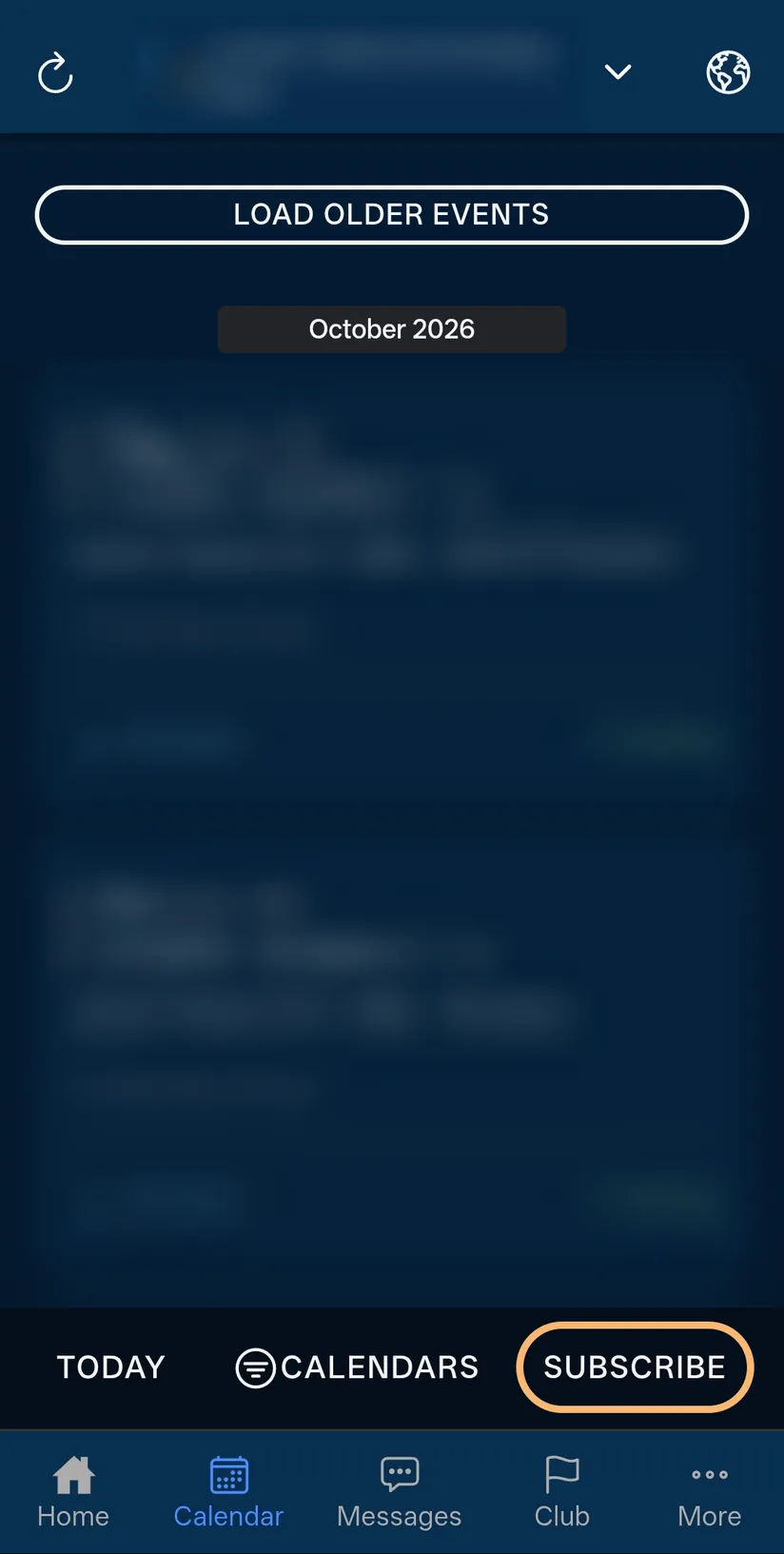
In Sprocket Sports, tap Subscribe on Calendar. Tap Subscribe at the top. Keep Games and Practices switched on.
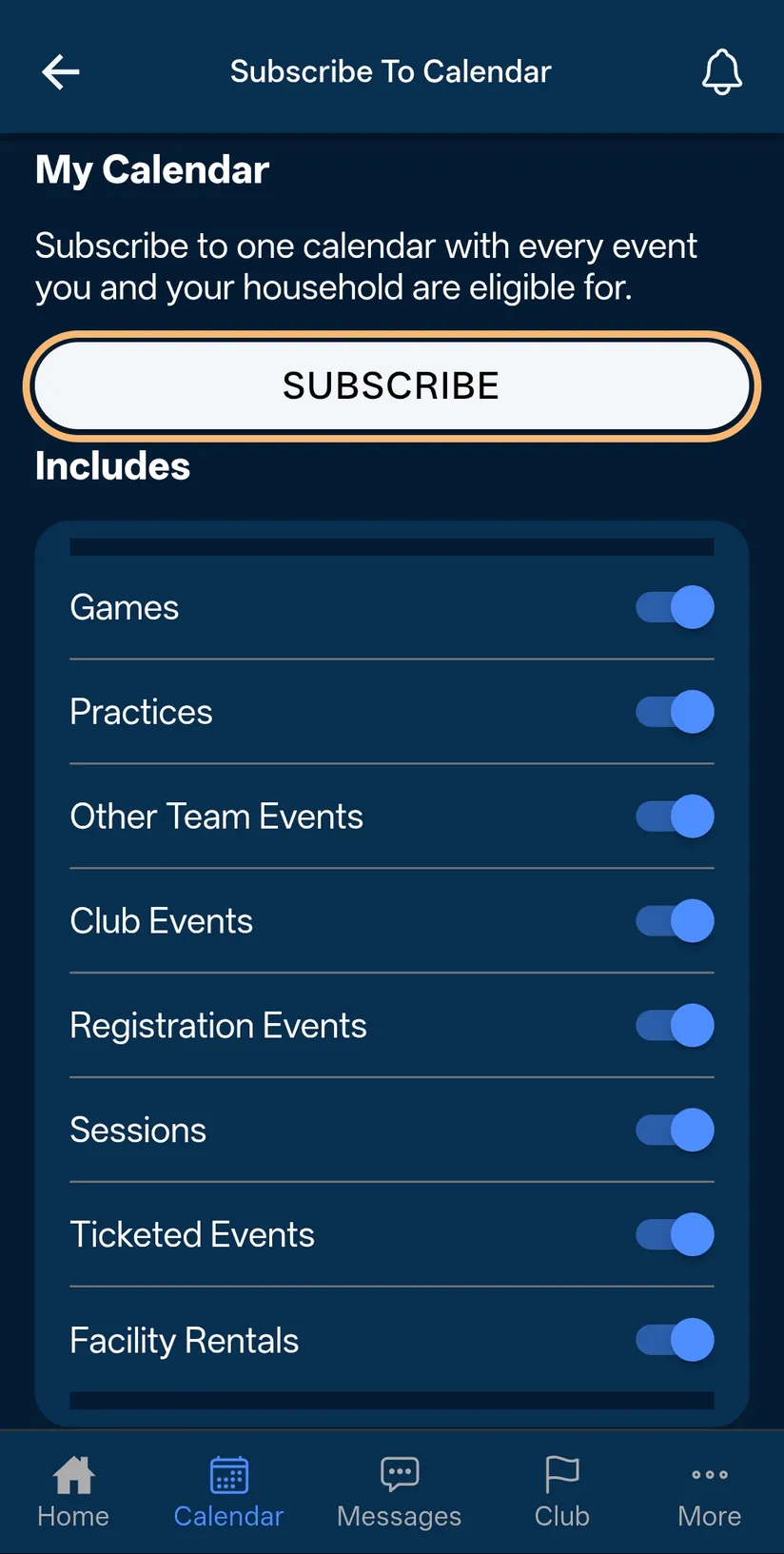
Tap Subscribe at the top. Tap Copy to Clipboard.
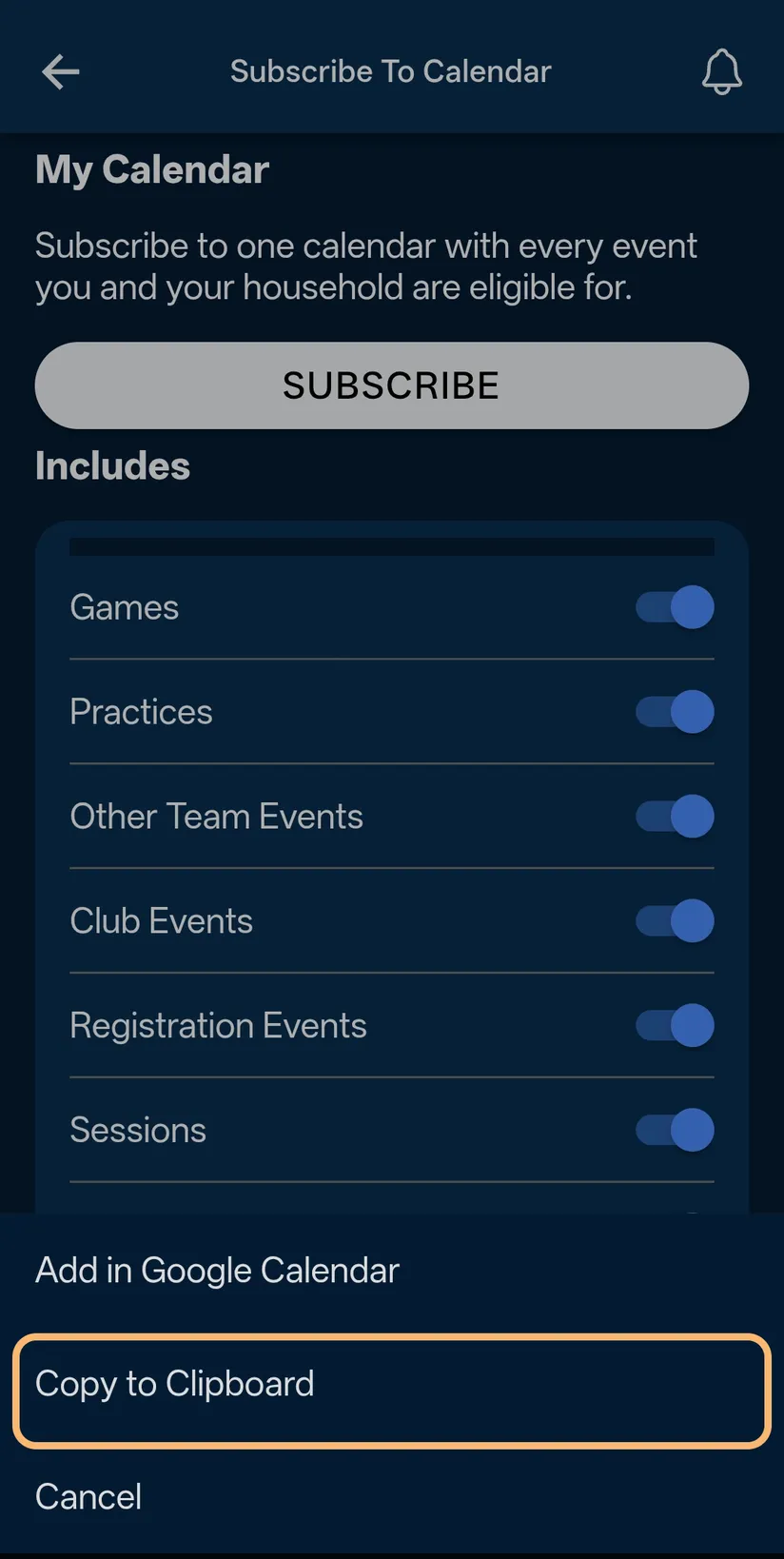
Then tap Copy to Clipboard.
Other team apps
Open the team's schedule, and look for a button like Subscribe, Export or Add to calendar. Pick the choice for another calendar app, then copy the link.
Not every team app has one. If yours doesn't, add a schedule from a picture instead.
Tip: A team app's calendar can be a day behind the app itself.
SportsEngine and Sprocket Sports belong to their own companies. They aren't part of TwoGames+.
What to do next
- Add a schedule from a calendar linkPaste your team's calendar link, check what we read, and keep the link to catch changes.
- Add a schedule from a pictureChoose a screenshot, photo or PDF of the schedule, and we read the games for you to check.
- A schedule didn't read wellWhat to do when a picture can't be read, is refused, or the rows come out wrong.
Still stuck?
Write to support@twogamesplus.com and a person will answer.