Let someone else drive a game
Hand over a game or practice to another adult, and we check each car on its own.
Read what the video says
Saturday doesn’t work. Ava’s hockey game ends across town, too close to Maya’s soccer. Grandpa signs in with his own account, and drives from his own home. Everyone else sees only his town.
The day lists only the hand-overs that fix it. Give Ava’s game to Grandpa.
The conflict is gone. Your car is still tight, and the day says so.
Now there are two cars, and Grandpa’s starts from his home. Each car is checked, and each person too.
And Saturday counts as resolved.
Before you start: the other adult needs to sign in, and say where they drive from. Invite someone shows how.
Who can do this: an Editor, someone who can change the schedule, or the Owner, the one person in charge. A Viewer, someone who sees the schedule and changes only their own things, can take a game nobody drives. See Take a game yourself.
When you hand over a game, you give it to another adult to drive. It goes in their car, and they're its driver: the adult who drives it.
Tap Schedule at the bottom, then tap the day. On a tablet or computer, it's on the left.
Find the game or practice. Tap Needs a driver under its name, or the button that says who drives it.
Under Hand it to, tap the adult who'll drive it.
Someone greyed out hasn't added where they drive from yet.
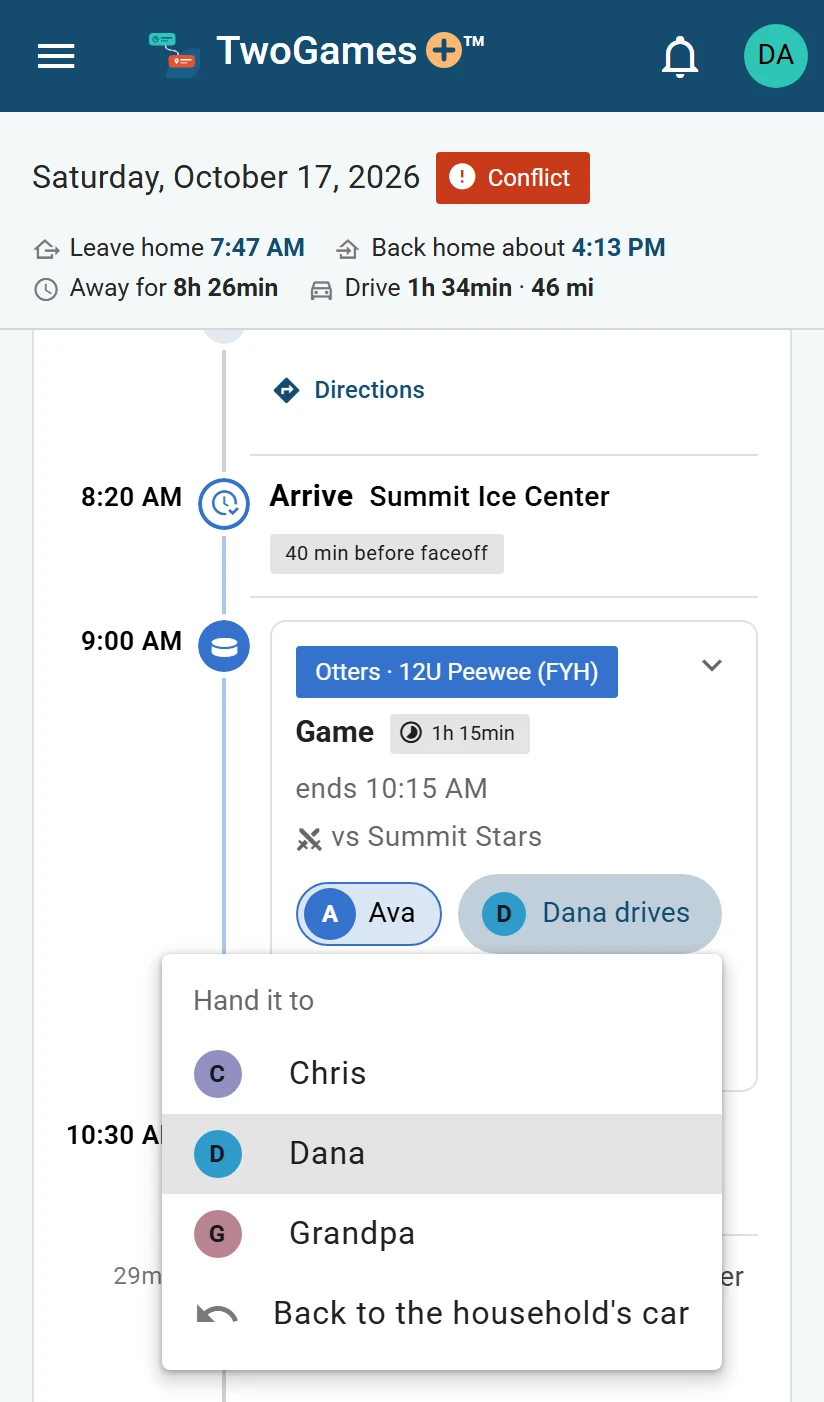
Tap the driver to hand the game to another adult.
What you'll see
The button now says who drives it. We check each car, then the day as a whole.
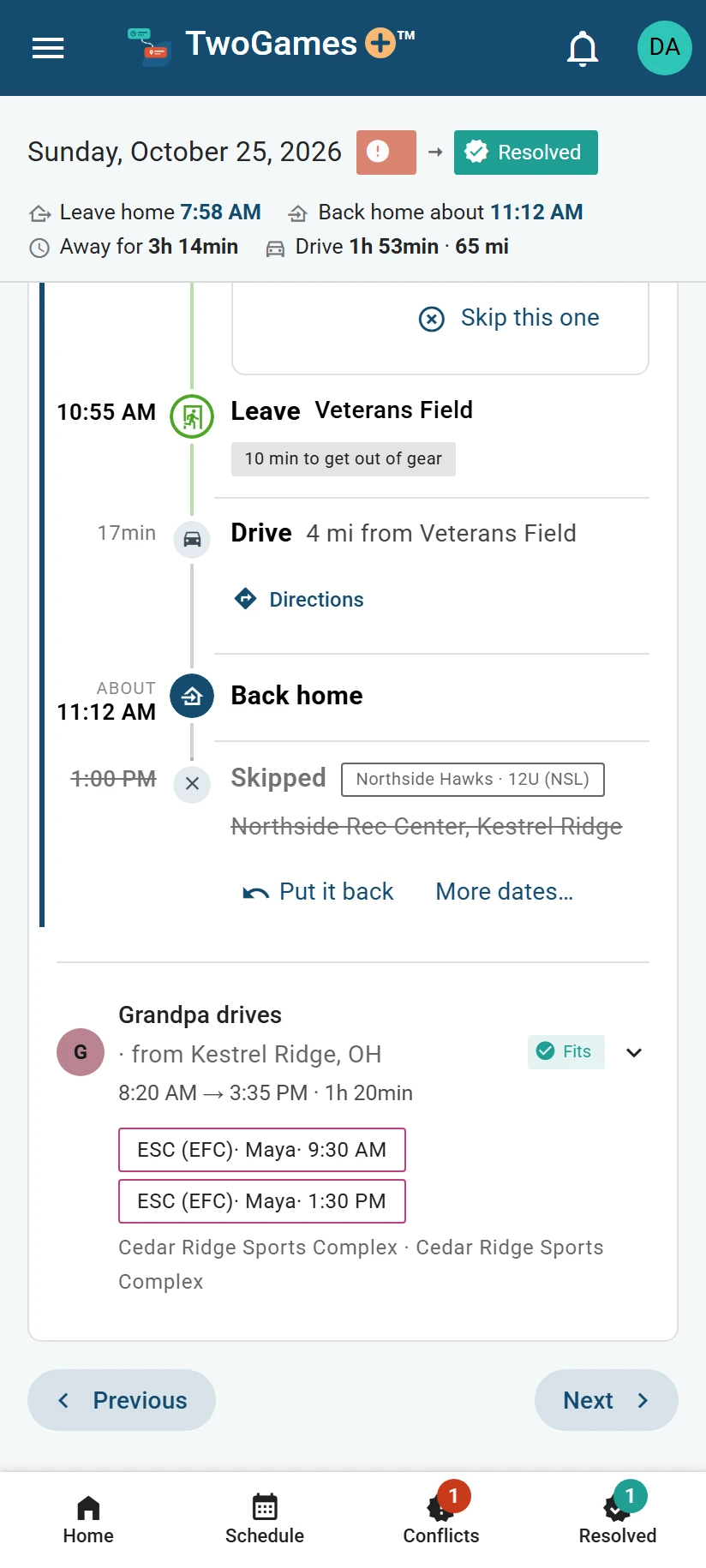
Anything nobody was handed rides in the household's car. Your household is everyone who shares your schedule.
To change a hand-over, tap the same button and pick someone else. To undo it, pick Back to the household's car.
Take a game yourself
A Viewer taps I'll take it on a game nobody is driving, and it goes in their car. To change their mind, they tap the button with their name, then Give it back.
The amber steering wheel
An amber steering wheel means needs a driver: nobody has said they'll drive it yet. You see it only when two or more adults sign in.
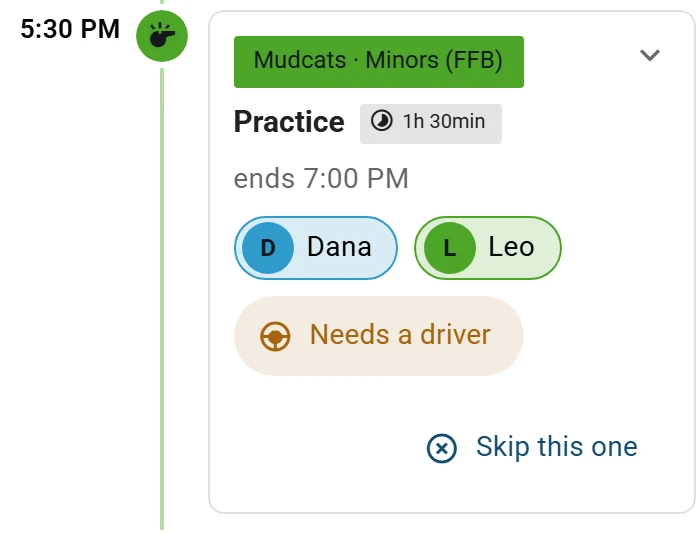
If one adult is free, the card offers them in one tap. On their phone, it says Yes, I'll take it.
After a hand-over, the household's car may ask who takes it, when more than one of you is free. Tap Hand to… there to give that whole car to one adult.
A game given to someone who can't drive now waits, and says so. Anyone who can drive can take it.
When a second car can't help
Two cars can be in two places at once, but one person can't. If the same person plays in both games, the day still won't work.
Tip: We don't send them a message, so let them know yourself.
What to do next
- Set where you drive fromYour drives start and end where you drive from: your household's home, or an address of your own.
- Fix a day that doesn't workHand one event to another driver, or skip one, and we check the day again at once.
- Invite your partner or another driverShare one schedule, so everyone you invite sees the same season on their own phone.
Still stuck?
Write to support@twogamesplus.com and a person will answer.