Get directions, and fix a venue
Open a rink or field in your maps app, fix its address, or join two copies of one place.
A venue is a rink, field, court or gym. Every venue on your schedule is on the Venues page, with its address and the drive from the home you drive from.
Get directions
On today's plan, and on any day's page, each drive has Directions. Tap it, and the drive opens in your maps app. On an iPhone or iPad that's Apple Maps, and everywhere else it's Google Maps.
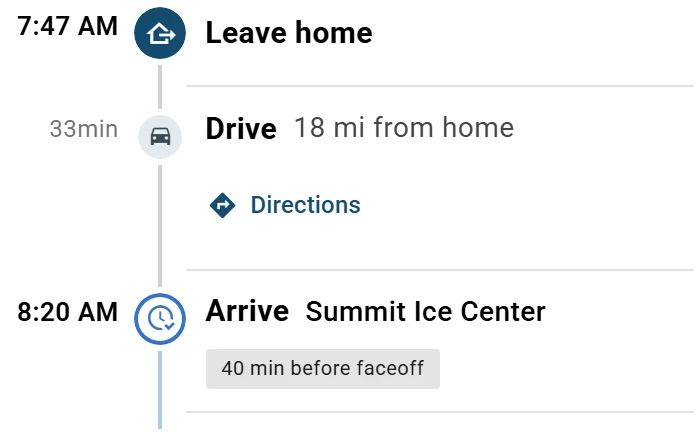
From a home your phone doesn't know, Directions starts where you are. To one, there are none.
To see a place on the map, tap the map icon next to its name on Venues. Or tap a game or practice on the day, then Open in ….
Fix a venue's name or address
Who can do this: an Editor, someone who can change the schedule, or the Owner, the one person in charge. A Viewer, someone who sees the schedule and changes only their own things, can't do this. The app tells them who to ask.
Open the menu (☰), then tap Venues. On a tablet or computer, Venues is on the left.
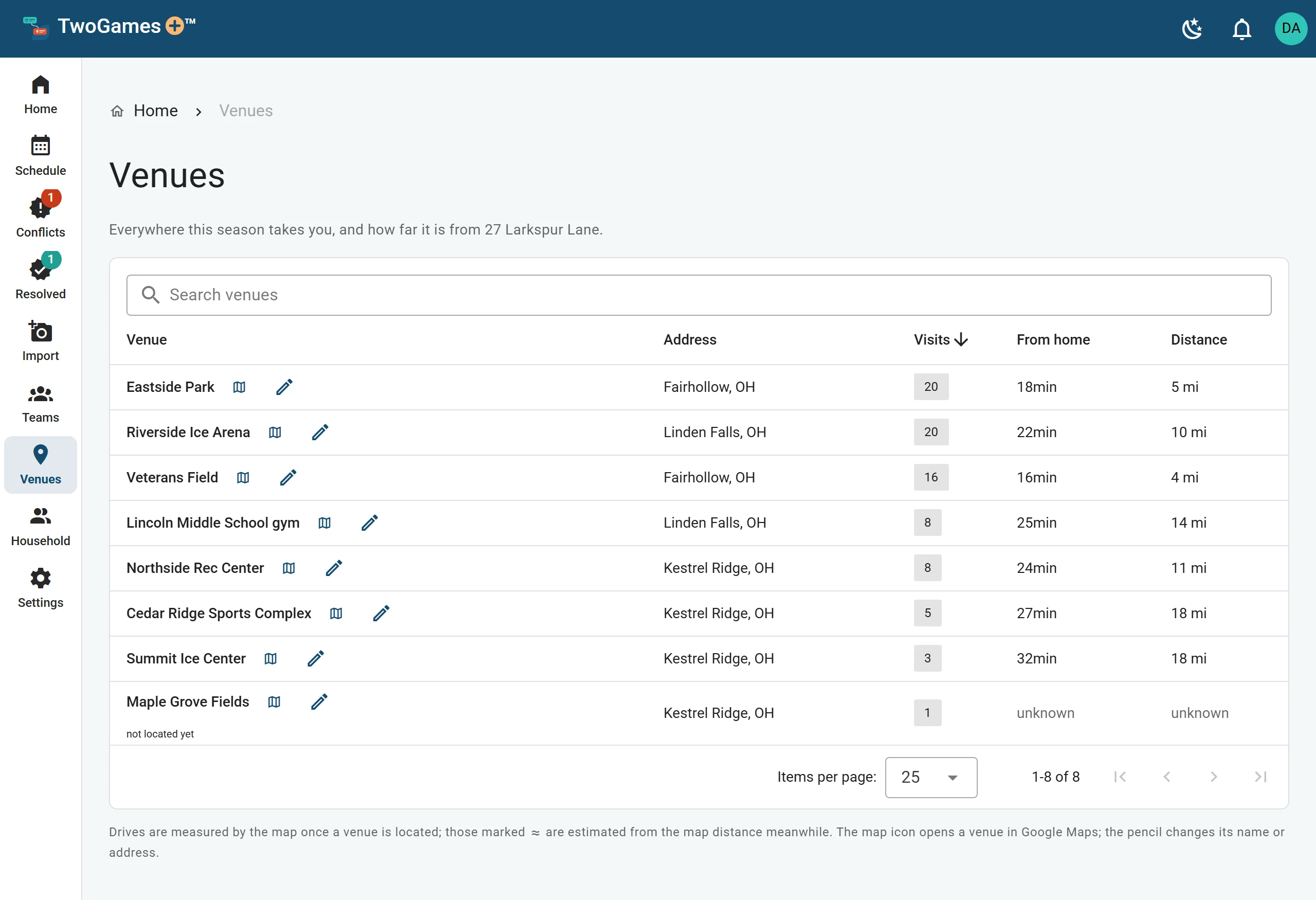
Every venue your schedules use, with its address. Find the venue. If the list is long, type its name in Search venues.
Tap the pencil next to its name.
Fix the Name, Street address, Town, State or ZIP. If a list of places shows as you type, you can tap the right one.
Tap Save.
We look up the new address. Until the map finds it, the venue says not located yet. If it says address not found: check it, fix the address again.
We time each drive for the hour you'll drive it, with the usual traffic then. Until the map has timed a drive, we guess from the distance. That drive says estimated on the day, and has a ≈ sign on Venues.
Two copies of one place
Two schedules can name one rink in two ways. Then Venues shows Same place as … under each name.
Under the copy you want to remove, tap Merge into …. Its games and practices move to the other one.
If the names or addresses differ, pick Which name to keep and Which address to keep.
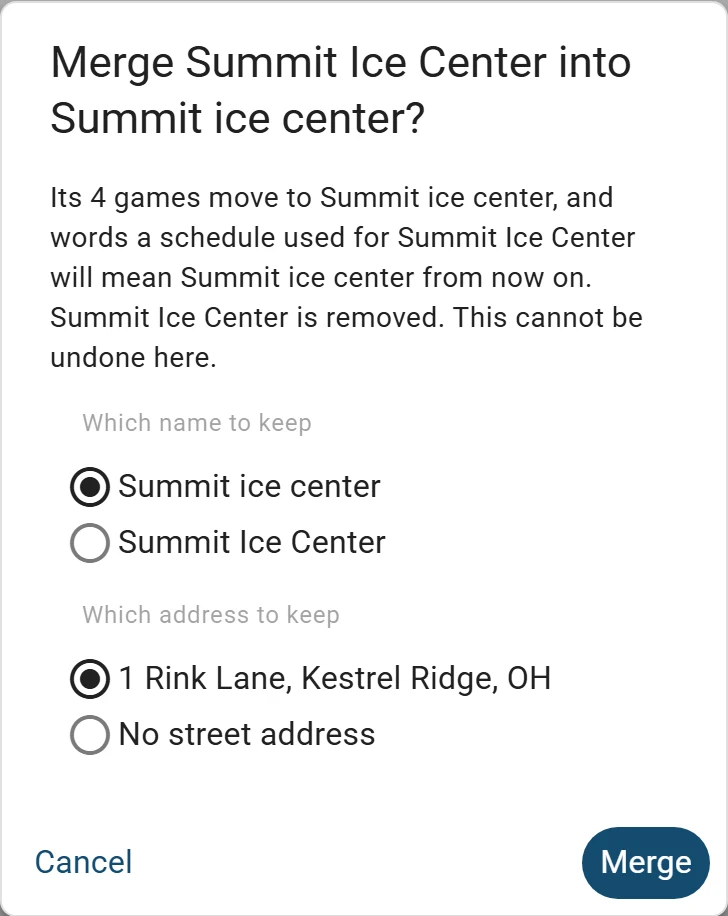
Merge two copies of one place, and pick what to keep. You can't undo a merge, so check your picks. Then tap Merge.
A venue with nothing booked there also has a trash can. Tap it, then Remove, to take it off the list.
Can't fix a venue? Write to support@twogamesplus.com, and a person will help.
What to do next
- A day says Drive time unknownA venue or a home isn't on the map yet, so we can't check the drives to it.
- See today's plan and when to leaveHome shows when to leave, each drive and each game, and keeps up with the clock.
- Check the traffic before you leaveSee today's drive with the traffic on the road now, and when to leave because of it.
Still stuck?
Write to support@twogamesplus.com and a person will answer.