It says a change couldn't be saved
What to do when a change isn't saved, or a day can't be changed any more.
On this page
Find what you see below, then try the steps in order.
Your change could not be saved
What you see
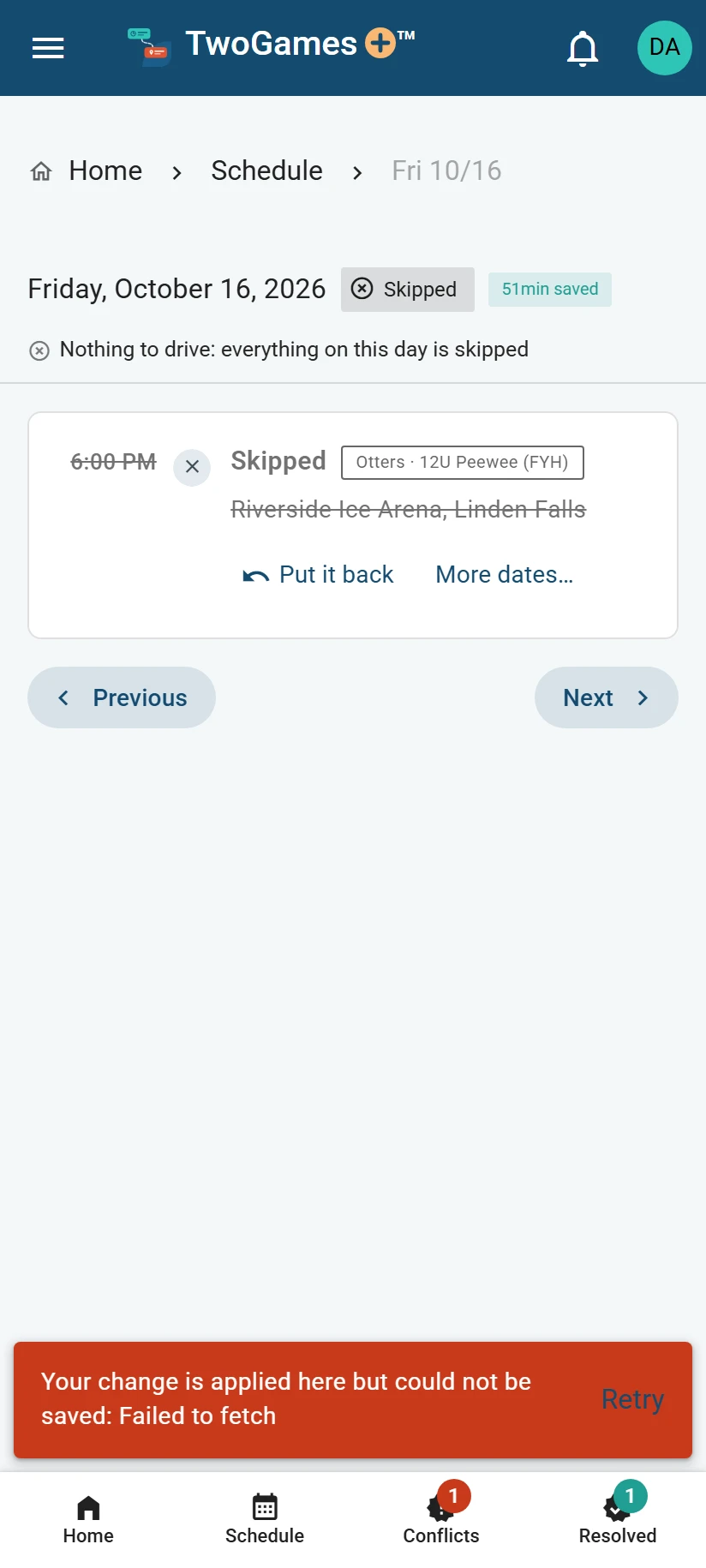
A red message at the bottom says Your change is applied here but could not be saved. It has Retry beside it.
Why it happens
Your change shows on this screen, but we don't have it yet. This can happen when your phone loses signal.
What to do
Check that your phone has signal or Wi-Fi.
Tap Retry. When the message goes away, your change is saved.
Still there? Wait a minute, then tap Retry again.
Keep the page open until it's saved. If you closed it, open the app and check for your change.
Not there? Make the change again.
Does the message name your plan, or ask for your home address? Then nothing was saved.
Depends on your plan A plan has room for a set number of teams and players: anyone on one of your teams. I can't add a player, team or person says what to do in each case.
It says only an Editor or the Owner can change it
What you see
A message says Only an Editor or the Owner can change that, so nothing was saved. It has OK beside it. On Household, it may say Only the household's owner can do that, so nothing was changed.
Why it happens
Someone changed what you can do while your page was open. So the change you made isn’t yours to make now. The page shows what is saved.
What to do
Tap OK, or close the message.
Open Household to see what you can do now, and who to ask.
It says someone changed it on another phone
What you see
A message says Someone changed this on another phone meanwhile, so nothing was saved. It has OK beside it.
Why it happens
Someone else changed who drives, or the people, while your page was open. Your page shows their change now.
What to do
Tap OK.
Look again. Then make your change again if it still needs making.
It says your place in the household changed
What you see
A message says Your place in the household changed while this was saving. It has OK beside it.
Why it happens
You joined or left a household (everyone who shares your schedule). Or someone changed what you can do, a moment before your change reached us. Nothing was saved, and the page shows what is saved.
What to do
Tap OK.
Check the page. Then make your change again if you still need to, and if you still can.
A red message at the top of the page
What you see
A message at the top says what couldn't be loaded or saved, or what to do first. It has Retry beside it.
Why it happens
The message says why. Often your phone lost signal. Sometimes there's something to do first, like choosing who plays on a team.
What to do
Read the message. If it says what to do first, do that, then make your change again.
Otherwise, check that your phone has signal or Wi-Fi.
Tap Retry. It loads your schedule again, but doesn't send your change again.
Look for your change. If it isn't there, make it again.
A day that can't be changed
What you see
The day says This day has been and gone. Or, for today, Today's run is done. The buttons that change things are gone.
Why it happens
60 minutes after a day's last drive or game ends, it becomes the record: a day that's over and can't be changed. What you decided about it stays as it was.
What to do
Check the date at the top. Is it the day you meant?
If not, tap Next at the bottom, or open the right day from Schedule.
What to do next
Still stuck?
Write to support@twogamesplus.com and a person will answer.