Skip a game or practice
Skip anything you won't go to, and the rest of the day is checked again.
You can skip any game or practice still ahead: take it off everyone's day. It stays on your schedule, crossed out, so you can put it back.
Who can do this: an Editor, someone who can change the schedule, or the Owner, the one person in charge. A Viewer, someone who sees the schedule and changes only their own things, can't do this. The app tells them who to ask.
Tap Schedule at the bottom, then tap the day. On a tablet or computer, it's on the left.
Find the game or practice. At the bottom of its card, tap Skip this one.
We ask if you're sure. Tap Skip, or Keep to leave it as it is.
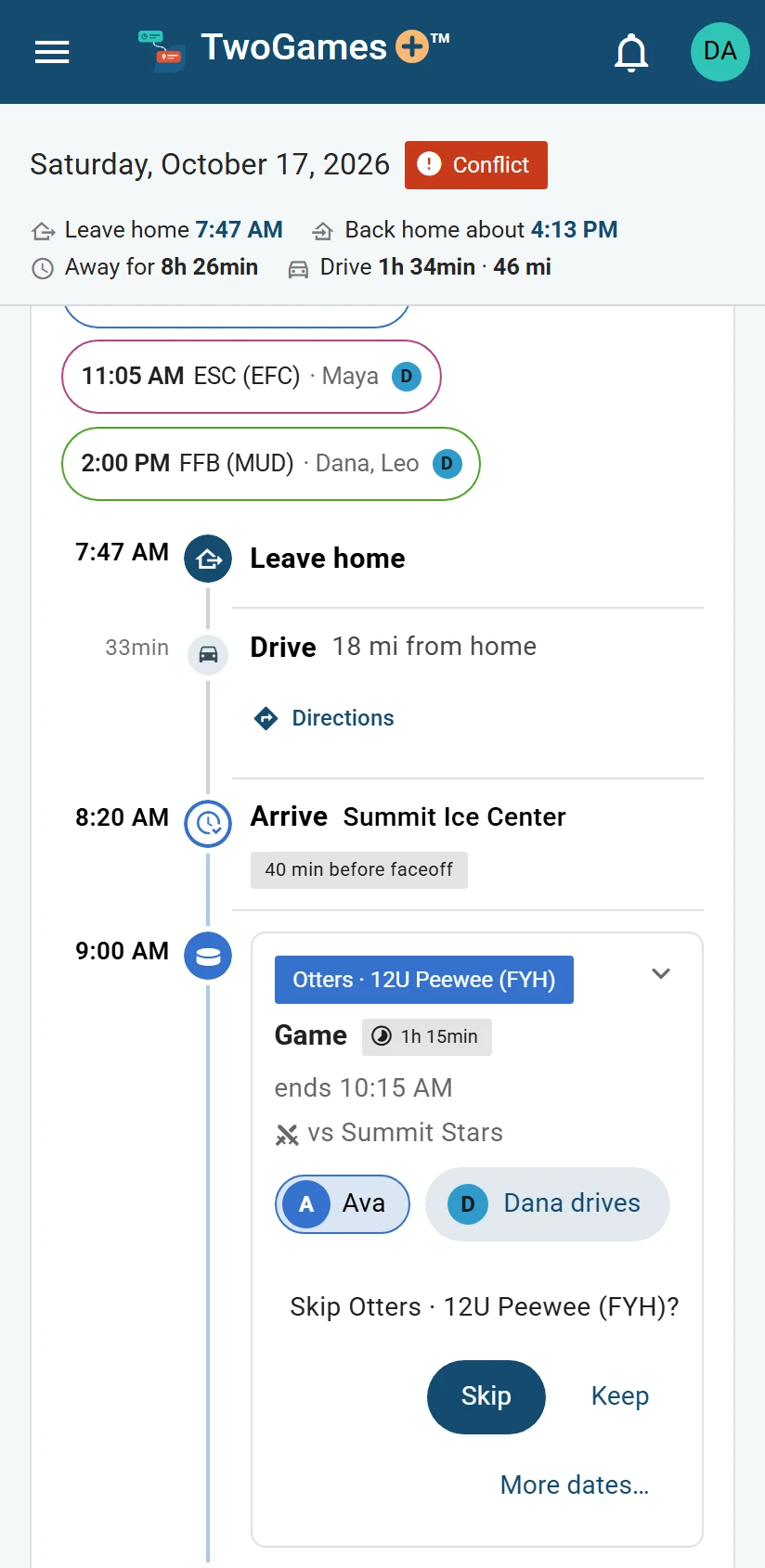
Skip any event still ahead.
What you'll see
It becomes a Skipped line on the day, with Put it back beside it. We check the rest of the day again at once. Everyone who shares your schedule sees it skipped.
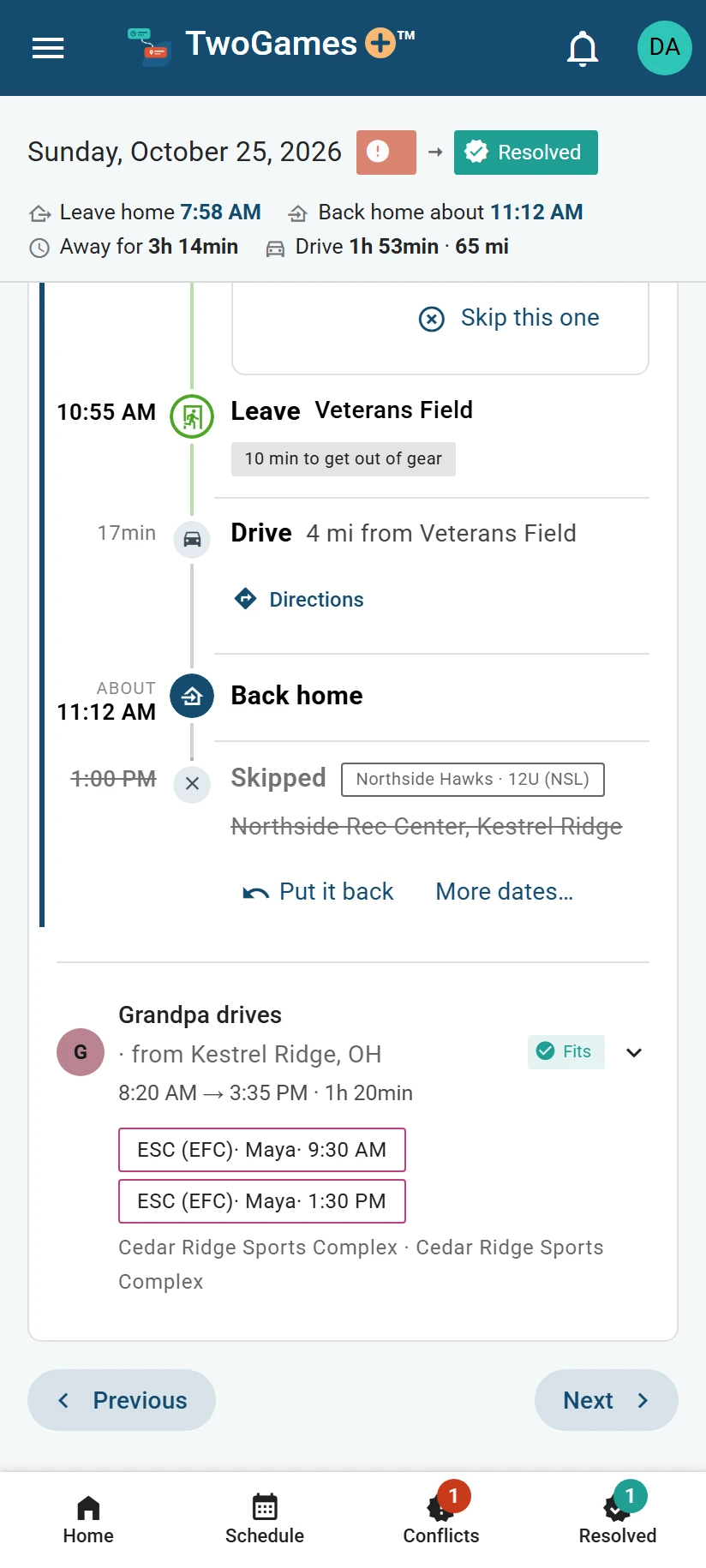
Skip several dates at once
Away for a week, or out for a few games? Tap Skip this one, then More dates…. More dates… shows when the team has more practices, or more games, ahead.
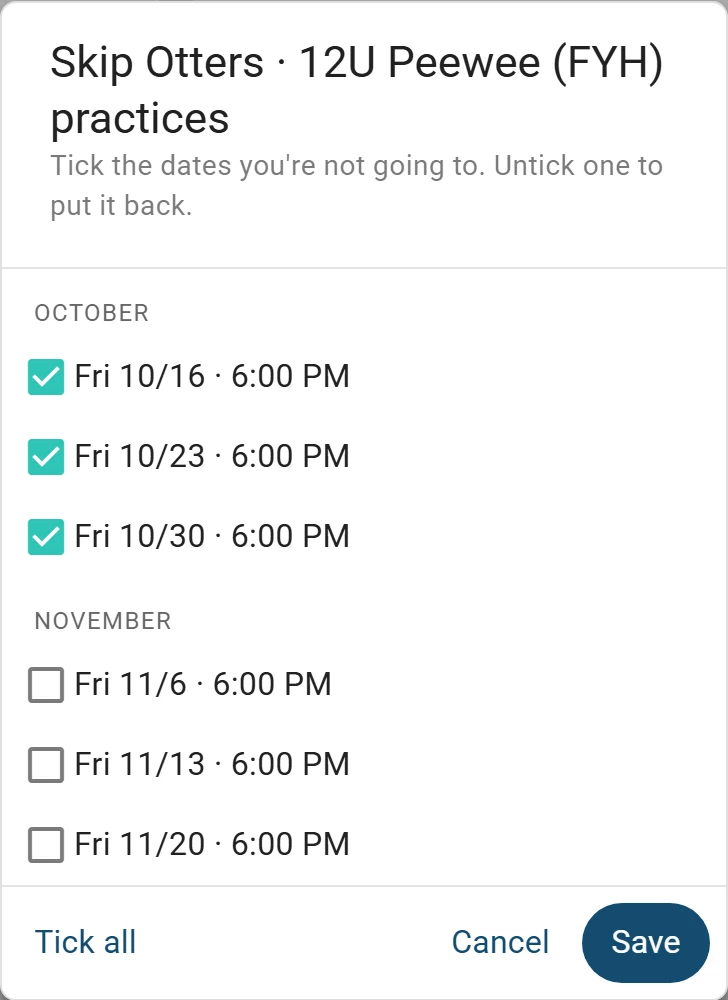
Tick every date you'll miss, then tap Save. For a few seconds, a line at the bottom says what changed. Tap Undo there to go back to how it was.
Put it back
Changed your mind? Tap Put it back on the Skipped line. To find your skips, tap Skipped on Schedule, or the Events tile on Home.
60 minutes after a day's last drive or game ends, it becomes the record: a day that's over and can't be changed. From then on, nothing on it can be skipped or put back.
Tip: Going, but can't drive? Hand it to another adult instead of skipping it.
Did a skip not stick? See It says a change couldn't be saved. Or write to support@twogamesplus.com, and a person will help.
What to do next
- Fix a day that doesn't workHand one event to another driver, or skip one, and we check the day again at once.
- Let someone else drive a gameHand over a game or practice to another adult, and we check each car on its own.
- Resolved days, and changing your mindSee the days you fixed and how, and undo a fix until the day is done.
Still stuck?
Write to support@twogamesplus.com and a person will answer.