Get drive times from where you are
On the Captain plan, time your next drive from wherever you are, not only from home.
Say you're at a café between games. We can time the drive from there, with the traffic now, and tell you when to leave.
Captain plan Every step below needs the Captain plan.
On the phone you carry, open the menu (☰), then tap Settings.
Find Where you are, on this device, and read what it sends.
If it says Off, tap Turn on, and allow your location.
If it says On, sending nothing yet, tap Also time drives from where you are.
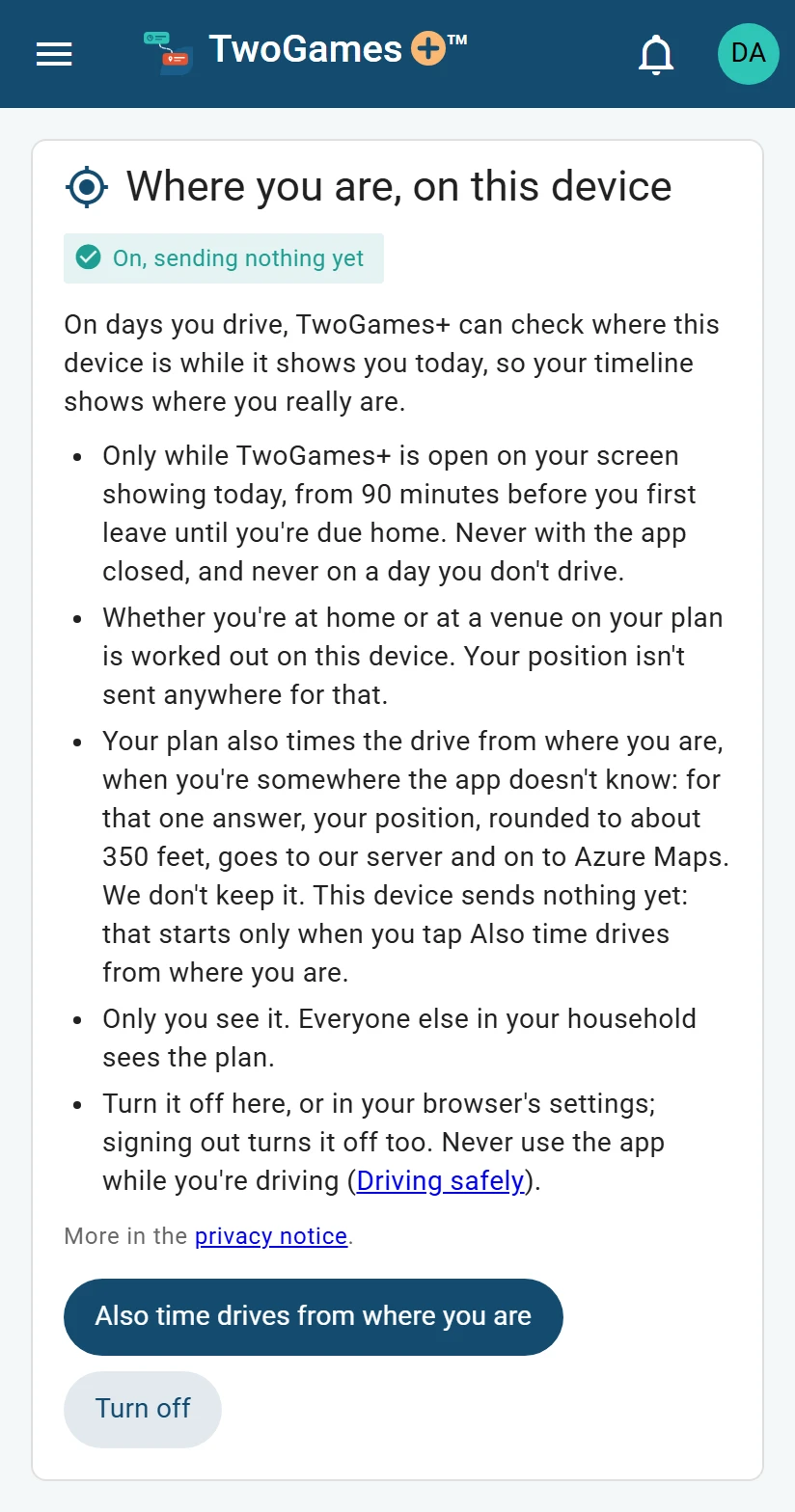
On Captain, you can also time drives from where you are. On a day you drive, open today's plan while you're somewhere we don't know, like a café.
What you'll see
On today's plan, the row marked “device location” shows a line that starts “From where you are”. It says how long the drive takes with traffic now, and when to leave. To check again, tap Refresh, the button that checks the traffic again.
Today's plan says to allow it in Settings? Tap Also time drives from where you are there.
Nothing shows? See Today's plan doesn't follow my phone.
What we send
To get that drive time, your phone sends us where it is, rounded to about 350 feet. It also sends how exact that is, and when the phone found it. We ask Azure Maps how long the drive takes from there, with the traffic now.
Nothing is sent from your home, or from a rink or field on today's plan. Where your phone can't tell yet if you're home, it sends only when you tap Refresh.
The drive time shows only on your phone. The rest of your household, everyone who shares your schedule, sees the day's times as planned.
As our privacy notice says: Nobody else in your household sees where you are, and we don't keep it.
Read more in our privacy notice
On other plans
With location on, your phone still knows when you're at home or at a rink or field. Drive times come from there. Anywhere else, a short line names the plan that times the drive from where you are.
What to do next
- Let today's plan follow your phoneTurn this on, and today's plan notices if you're still at home or already on the way.
- Plans and what they includeEvery plan checks every day, and bigger plans let you add more and give a few extras.
- Today's plan doesn't follow my phoneWhat to check when location is on, but today's plan doesn't show where you are.
Still stuck?
Write to support@twogamesplus.com and a person will answer.