The sign-in code didn't come or won't work
What to try when the code email is missing, or the code or link won't sign you in.
On this page
Find what you see below, then try the steps in order.
The code email didn't come
What you see
The page says We sent a 6-digit code to your address, but no email arrives.
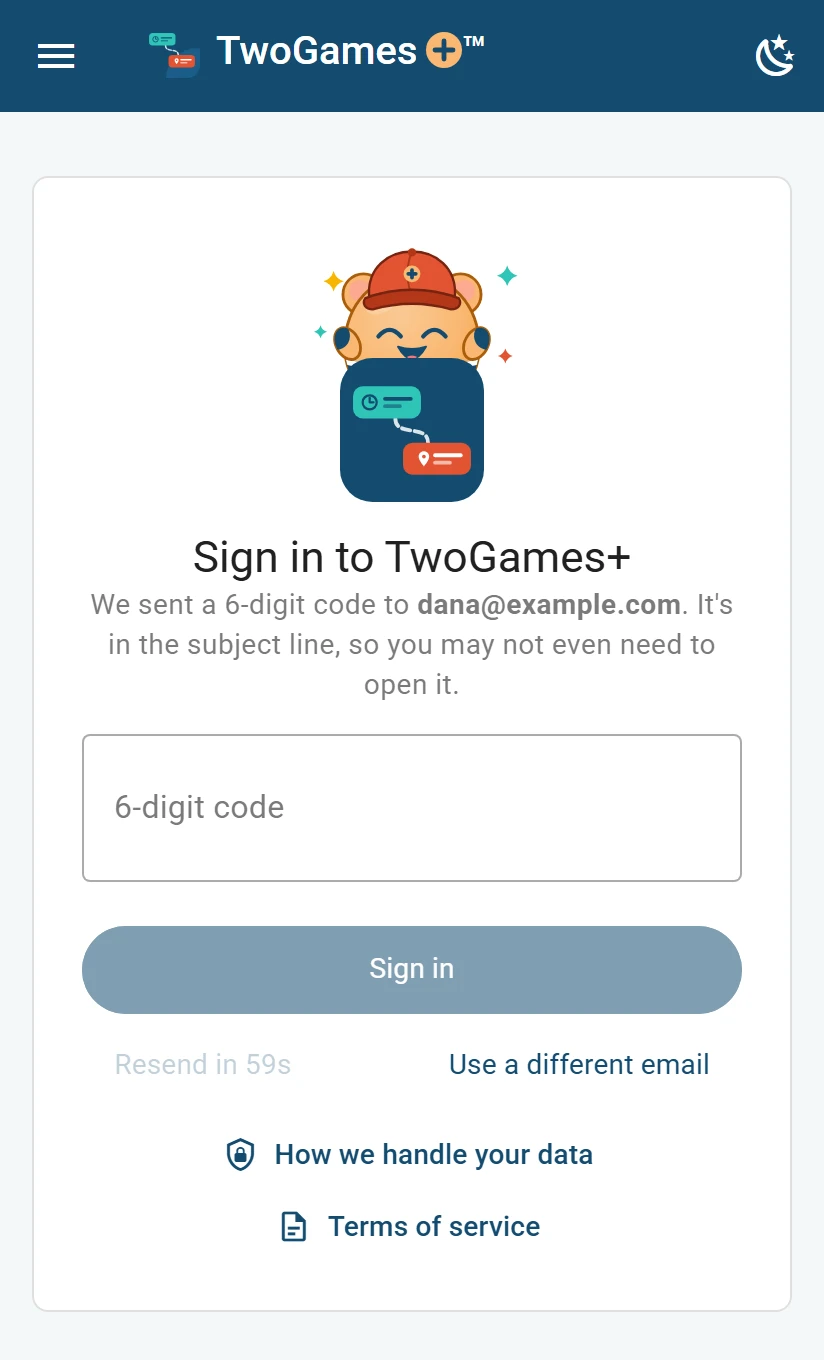
Why it happens
The address may have a typo. Or the email went to your spam or junk folder.
What to do
Look in spam or junk. Search your email for TwoGames+.
Check the address on the screen. If it's wrong, tap Use a different email.
Type your email again. If the page asks Did you mean, tap the address it suggests.
Tap Email me a code, and look for the new email.
The address was right, and still nothing? Tap Resend code when it shows.
If the page says it can't send email to your address, check the part after the @.
The code or the link won't sign you in
What you see
The page says That code has expired or was already used. Ask for a new one. Or a link from the email says This link is missing its sign-in code.
Why it happens
A code works only once, and only for a short time. The code you typed may also have a typo. An older email's code may stop working once you ask for a new one.
What to do
Open the newest email from TwoGames+, and use its code.
Type every digit, carefully.
Did a link not work? Go back to the page where you asked for the code, and type the code there.
Still no luck? Tap Resend code, or start again with Email me a code.
The page asks for a tick, or says it could not check you
What you see
A box under the button says Verify you are human. Or the page says We couldn't confirm you're a person. Please try again.
Why it happens
Before we send a code, Cloudflare checks that a person, not a program, is asking. Most people never see it. Now and then it needs a tick, or a second try.
What to do
Tick the box. Wait a moment, until it says Success.
Did the page say it couldn't confirm you? Tap Email me a code again.
Still stuck? Try another browser, or turn off any blocker for this page.
If the page says We couldn't load our check that you're a person, your phone may have no signal. Move to where it has some, then try again.
If it says This browser can't run our check that you're a person, update your browser, or try another one.
Continue with Google didn't finish
What you see
The page says Signing in with Google didn't finish. Try again, or have a code emailed to you instead.
Why it happens
Signing in at Google was stopped, or turned down, before it finished.
What to do
Tap Continue with Google and try again.
Or type your email, then tap Email me a code.
If the page says We couldn't reach the sign-in service, your phone may have no signal. Move to where it has some, then try again.
What to do next
Still stuck?
Write to support@twogamesplus.com and a person will answer.