Add a tournament before game times are out
Hold the tournament days now, so you can see what they clash with, and add the games later.
Read what the video says
A tournament weekend. Maya’s team is in the Fall Classic, and the game times aren’t out yet. Add it on the Teams page anyway.
Say the days and the place, and TwoGames+ holds both days until the times are out.
You’ll see what it collides with right away. Here, that’s Sunday.
When the times come out, change it to I have them, and add the games.
Four games: two on Saturday, two on Sunday.
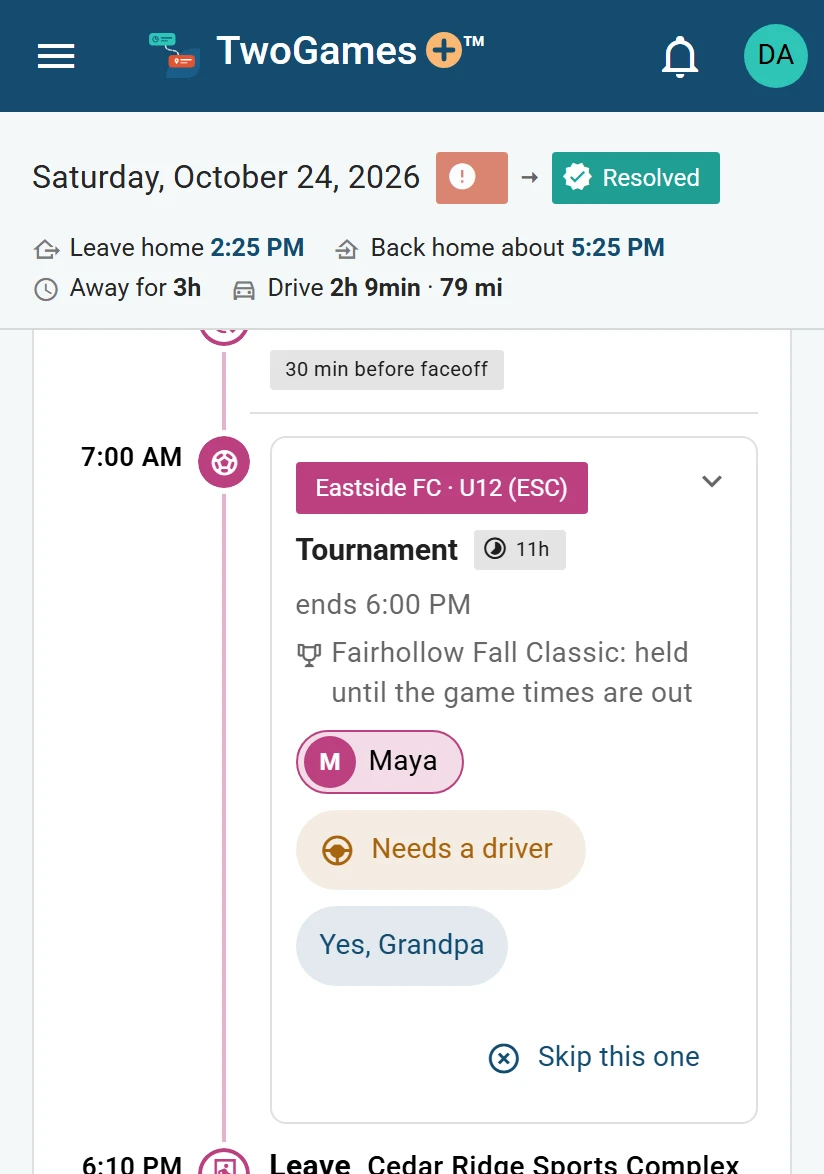
Saturday fits. Nobody has said yes to Maya’s games yet, so the day assumes Grandpa, and says so.
Sunday is harder. Leo has baseball in the morning, and Maya has two games and lacrosse at one. Maya can’t be in two places at once.
First, say yes for Grandpa.
He takes Maya to both games.
Then skip the lacrosse practice, and Sunday is resolved: two cars, and each one works.
Three places, two days, and every drive checked.
Before you start: add the team first, with someone who plays on it. If the team shows Player needed, tap Choose who plays. Add a team shows how.
Who can do this: an Editor, someone who can change the schedule, or the Owner, the one person in charge. A Viewer, someone who sees the schedule and changes only their own things, can't do this. The app tells them who to ask.
Open the menu (☰) and tap Teams.
Under the team, tap Add to the schedule.
Tap Tournament. You can type its name under Name (optional).
Set the First day and Last day.
Under Where, pick the venue: a rink, field, court or gym.
Under Game times, leave Not out yet picked. Set the hours to hold each day under Each day from and Until.
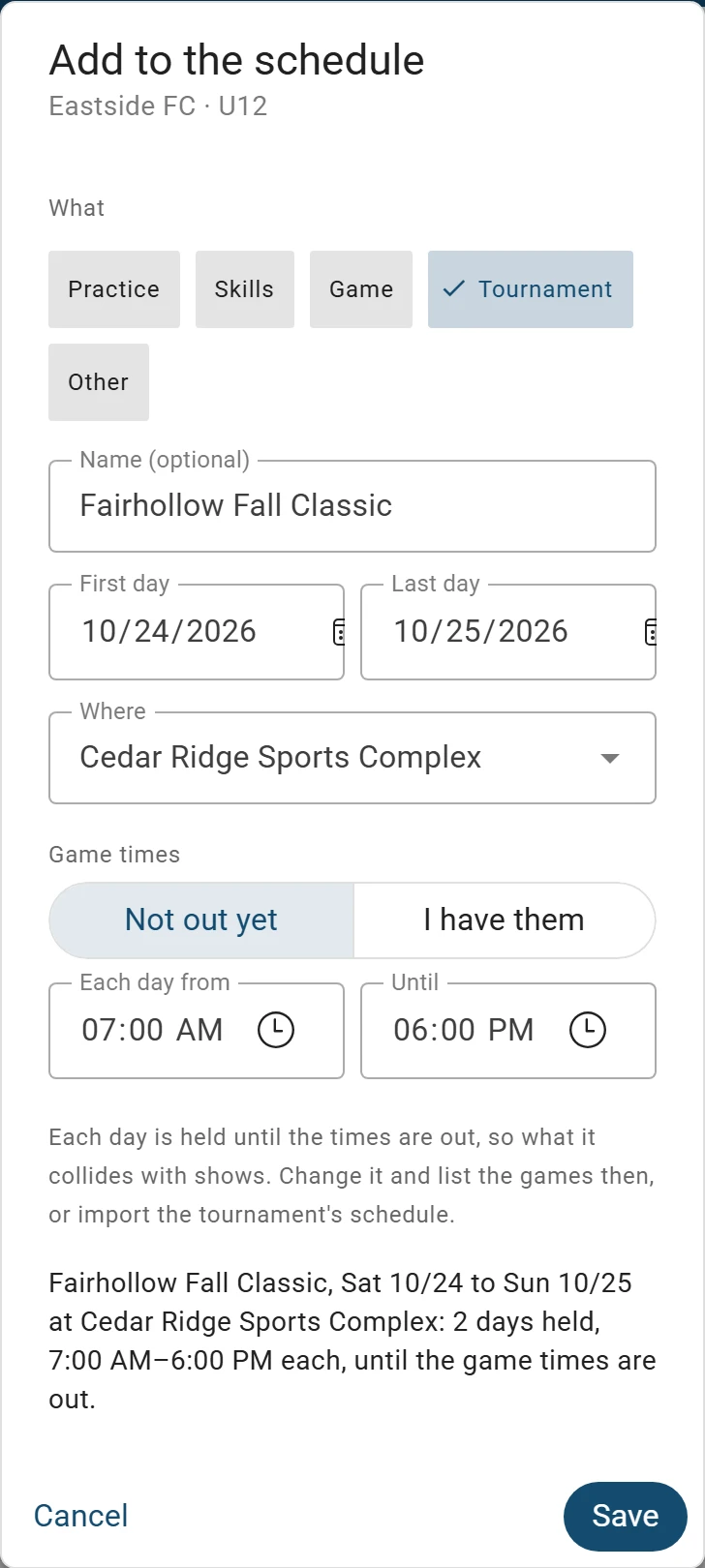
A tournament can hold its days before the game times are out. Tap Save.
What you'll see
Each day becomes a held day: a tournament day saved before its game times are out. We check each one like any other event, so you can see what it clashes with.
If two or more of you play on the team, the form also asks Who's going. Everyone starts ticked. Untick anyone who won't go: they stay on the team.
If you already have the game times
Under Game times, tap I have them. Set the first game's day and start time, then tap Add a game for each of the others.
Each game runs as long as the team's usual game. Tap Save, and each game goes on your schedule.
When the game times are out
On Teams, tap the pencil beside the tournament.
Tap I have them, and add each game.
Tap Save.
Depends on your plan Or import the tournament's schedule. That uses a schedule read: one picture or PDF we read for you. Add a schedule from a picture shows how.
Either way, the games take the held days' place. What you decided about a held day, like not going or who drives, moves to its games.
What to do next
Still stuck?
Write to support@twogamesplus.com and a person will answer.