Let today's plan follow your phone
Turn this on, and today's plan notices if you're still at home or already on the way.
On a day you drive, today's plan can show where you really are. If you're still at home when it's time to go, it says so.
On the phone you carry, open the menu (☰), then tap Settings.
Scroll to Where you are, on this device, and read what it does.
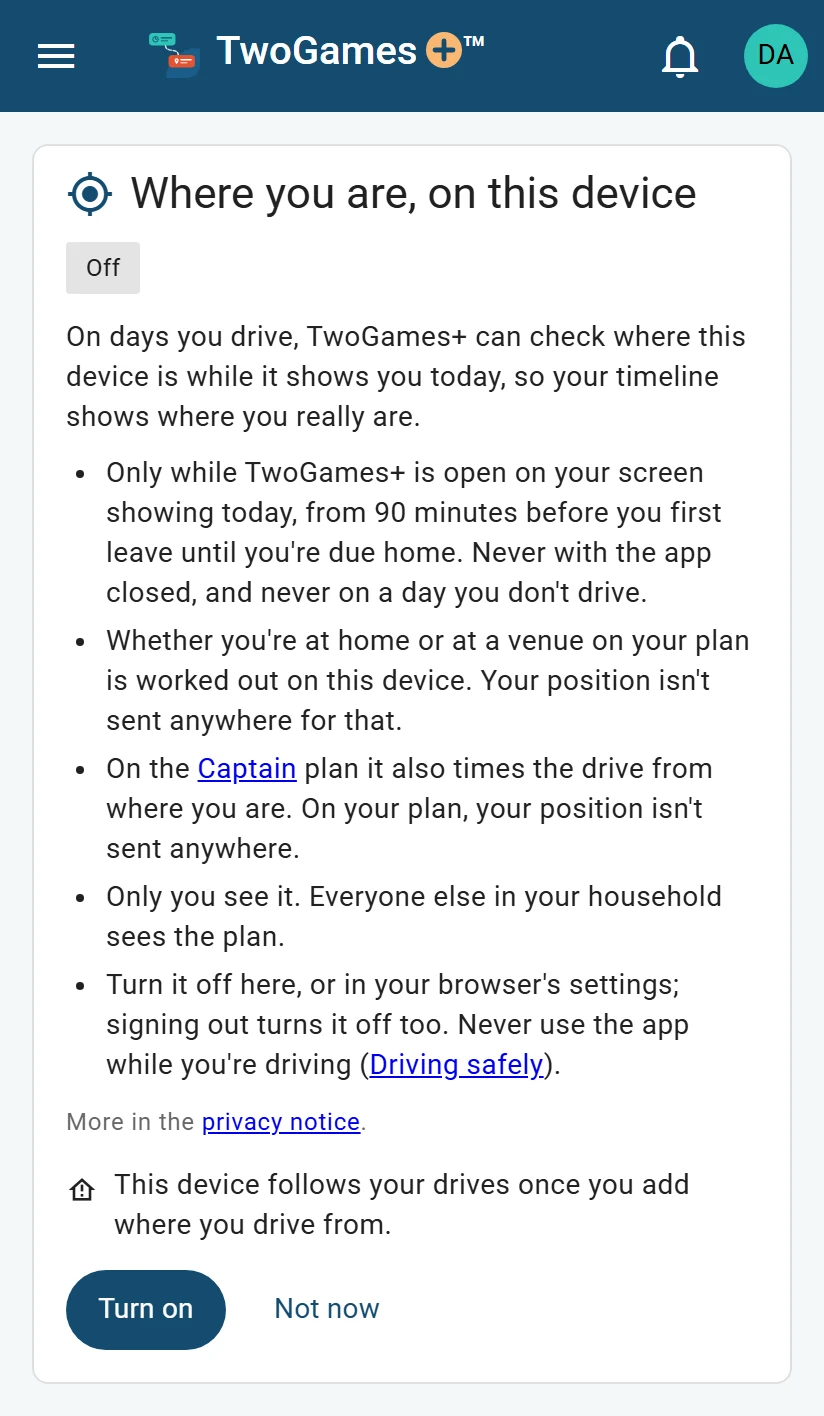
Off until you turn it on, on each phone. Tap Turn on.
When your phone asks to share your location, allow it.
The card now says On for this device.
What you'll see
Today's plan shows what your phone says, marked “device location”. Still at home when it's time to go? It says “You're still at home”, and the time to leave says “now”.
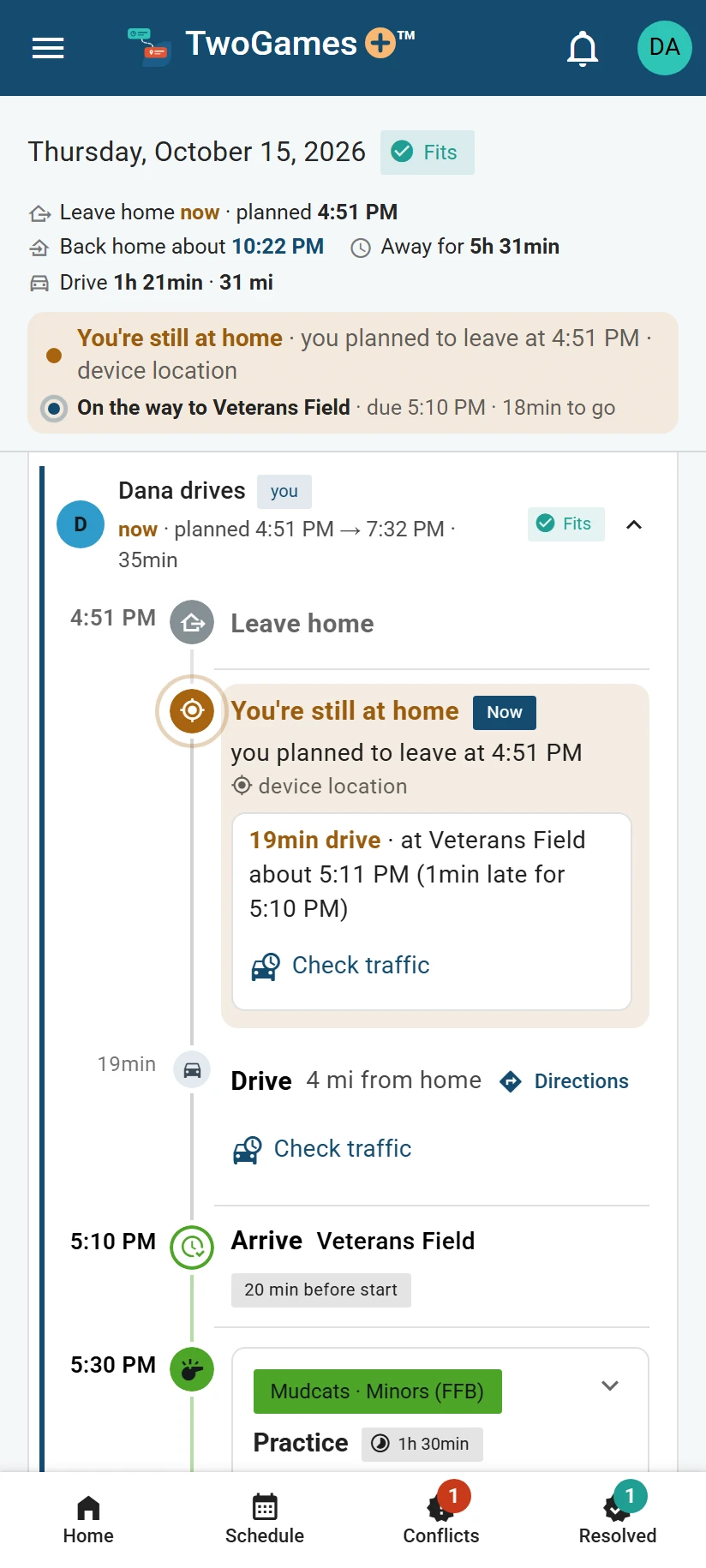
It works only on a day you drive, and only for your own car, once you've said where you drive from. Set where you drive from shows how.
Chose Same address as the household? Your phone can tell you're home once the Owner, the one person in charge, confirms you live there.
If two or more adults sign in, say you're driving. A game shows Needs a driver when nobody has said they'll drive it yet: tap it, then your name.
A Viewer, someone who sees the schedule and changes only their own things, taps I'll take it instead. Let someone else drive a game says more.
It works while TwoGames+ is open and shows today, from 90 minutes before you first leave until you're due home.
Captain plan On the Captain plan, Turn on also lets your phone send where it is, rounded. That times a drive from a place we don't know, and the card says so before you tap. See Get drive times from where you are.
Not working? See Today's plan doesn't follow my phone.
Who sees where you are
Nobody else in your household, everyone who shares your schedule. They see the day's times as planned. From our privacy notice:
It's used only if you turn on location in Settings, on the phone you carry, and only on that phone
.Nobody else in your household sees where you are, and we don't keep it.
Read more in our privacy notice
Turn it off
In Settings, tap Turn off. You can also block location in your browser's settings. Signing out, or being signed out, turns it off too, so turn it on again after you sign in.
Our terms say:
Never read, tap or type in TwoGames+ while you're driving. Pull over first, or let a passenger do it.
Read more in our terms
What to do next
- See today's plan and when to leaveHome shows when to leave, each drive and each game, and keeps up with the clock.
- Get drive times from where you areOn the Captain plan, time your next drive from wherever you are, not only from home.
- Today's plan doesn't follow my phoneWhat to check when location is on, but today's plan doesn't show where you are.
Still stuck?
Write to support@twogamesplus.com and a person will answer.